

Table of Contents
- Introduction
- The Business Case for Live Shopping on Instagram
- Technical Requirements for Instagram Live Shopping
- Designing a High-Performance Run of Show
- Critical Best Practices for Live Shopping Operators
- Post-Event: Maximizing the Value of Live Content
- Overcoming Common Live Shopping Challenges
- Scaling Your Video Commerce Strategy
- The Future of Live Shopping: Beyond the App
- Summary: A Checklist for Ecommerce Operators
- FAQ
Introduction
Customer acquisition costs on social platforms continue to climb, forcing ecommerce operators to find more efficient ways to convert existing followers. Static posts often fail to capture the nuance of a complex product, leading to high bounce rates and abandoned carts. Shopping live Instagram offers a high-intent alternative by merging entertainment with real-time transactions. When brands transition from passive scrolling to active, hosted shopping experiences, they see a significant shift in how customers interact with the catalog.
At Videowise, we focus on turning video assets into measurable revenue across the entire shopper journey. While Instagram provides the social stage, the true value lies in the interaction between the host, the product, and the buyer. This guide covers how to execute live events that drive conversion rate (CVR) and average order value (AOV) for Shopify brands. If you’re ready to put this into practice, book a demo. We will explore the technical setup, performance-focused formats, and strategies for maximizing the lifespan of your live content.
The Business Case for Live Shopping on Instagram
Live shopping is no longer an experimental format. It has become a core revenue driver for brands that prioritize experience-led commerce. Unlike traditional video ads, live streams provide a two-way communication channel. For the broader video foundation behind those streams, see Videowise's shoppable video platform. This interactivity addresses customer objections in real time, which is critical for high-consideration products.
Driving Higher Conversion Rates
The primary advantage of a live environment is the reduction of friction. When a host demonstrates a product and a "buy" button appears on the screen, the distance between discovery and purchase shrinks. Operators often observe that live viewers have a higher intent to purchase than those coming from standard feed posts. That is exactly what Videowise's live shopping platform is built for. This is because the live format acts as a virtual consultation, providing the confidence needed to complete a transaction.
Increasing Revenue Per Session (RPS)
Live events allow for natural upselling and cross-selling. A host demonstrating a skincare routine can tag multiple products—a cleanser, a serum, and a moisturizer—creating a bundled shopping experience. By showing how products work together, brands can increase their revenue per session (RPS). See Nomad the Label's case study for a strong example. This metric measures the total revenue generated divided by the number of sessions, providing a clearer picture of the event's efficiency than simple view counts.
Real-Time Market Intelligence
Every live session serves as a focus group. The comments and questions from viewers provide immediate feedback on product features, pricing, and messaging. If multiple shoppers ask about the fit of a garment or the ingredients in a supplement, the merchandising team gains actionable data to update Product Detail Pages (PDPs). Track it with Content Performance analytics. This loop between social interaction and store optimization is a significant advantage for agile Shopify teams.
Key Takeaway: Live shopping transforms passive viewers into active participants, directly impacting CVR and AOV by providing real-time social proof and frictionless checkout.
Technical Requirements for Instagram Live Shopping
Before an operator can go live with shoppable tags, certain technical prerequisites must be met within the Meta ecosystem. These ensure that the checkout process is reliable and that product data remains accurate throughout the broadcast.
1. Instagram Shop and Commerce Manager
Your brand must have a functional Instagram Shop. This requires a professional account connected to a Facebook Page. The product catalog is managed through Meta Commerce Manager. It is vital to ensure that your Shopify store is correctly synced with this catalog. Any discrepancies in stock levels or pricing can lead to a poor customer experience during the live event.
2. Enable Instagram Checkout
To allow users to purchase without leaving the app, you must have Instagram Checkout enabled. This feature is currently available to US-based businesses and requires a linked bank account for payouts. While some brands prefer to drive traffic to their website, in-app checkout significantly reduces drop-off rates during live events.
3. Catalog Preparation
Products must be added to your catalog at least three days before the scheduled live stream. This allows Meta's systems to review and approve the items for sale. Operators should create a specific "Live Event" collection within Commerce Manager to make it easier for the host to toggle through relevant products during the stream.
Myth: Any video on Instagram can be shoppable. Fact: Only live broadcasts initiated through the "Live" camera mode with a pre-selected product catalog can utilize real-time product tagging and in-app checkout.
Designing a High-Performance Run of Show
A successful live event requires more than just a camera and a product. It needs a structured "Run of Show" that balances entertainment with clear conversion triggers. Operators should think of the live stream as a 30-to-60-minute conversion funnel.
The Hook (Minutes 0–5)
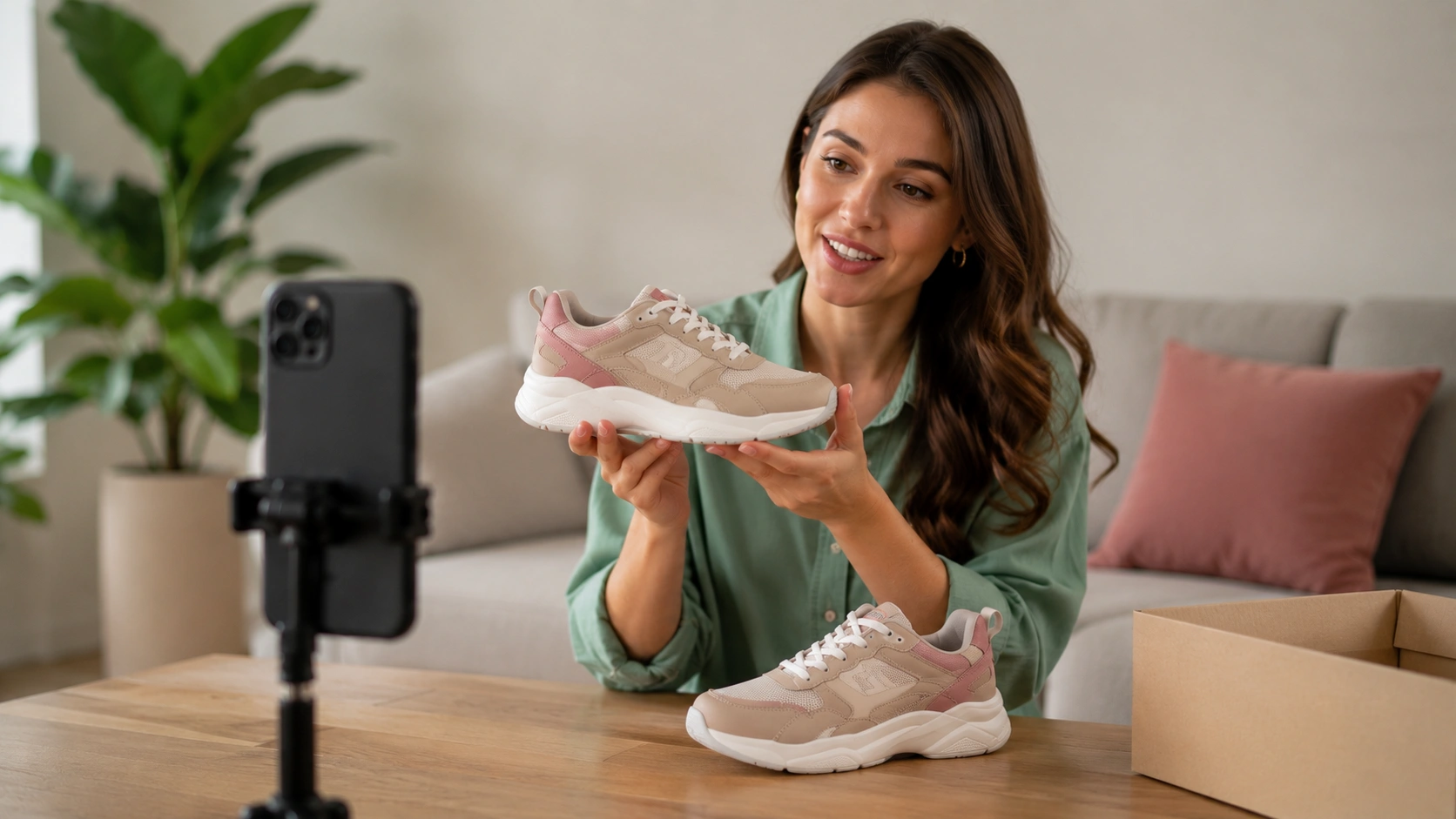
The first few minutes are for capturing attention as notifications go out to followers. The host should clearly state the purpose of the live, mention any exclusive offers, and tell viewers how to shop. Use this time to welcome early arrivals and set the energy for the event.
The Demonstration (Minutes 5–40)
This is the core of the event. The host should focus on one product at a time, explaining its benefits and demonstrating its use.
- Tagging: Use the "Pin" feature to keep the current product at the bottom of the screen.
- Q&A: Address comments as they arrive. If a viewer asks about size, show the size chart or compare the item to a common object.
- Social Proof: Mention how many people are currently watching or buying to create a sense of community and urgency.
The Closing (Minutes 40–60)
The final segment should focus on "closing the loop." Recapitulate the featured products, restate the benefits of any limited-time offers, and provide a final call to action. Remind viewers that the live will be saved to your profile (as a Reel or in the Live archive) so they can shop later if they missed a specific item. That before-during-and-after approach mirrors Andar's live shopping case study.
Host Selection: Experts vs. Influencers
Choosing the right host is a strategic decision.
- Brand Experts: Founders or lead designers bring deep product knowledge and authenticity. They are best for technical demonstrations or "behind-the-brand" storytelling.
- Influencers: External creators bring their own audience and a "peer-to-peer" feel. They are highly effective for lifestyle brands, beauty, and fashion where relatable usage is the primary driver of intent.
Critical Best Practices for Live Shopping Operators
To move beyond "vanity metrics" like likes and views, operators must focus on the logistics that drive revenue. Small technical or creative oversights can lead to significant revenue leakage.
Production Value and Environment
While live video doesn't need the polish of a Super Bowl ad, it must be functional.
- Lighting: Ensure the product is clearly visible. Avoid harsh backlighting that silhouettes the host.
- Audio: Use a dedicated microphone if possible. Clear audio is more important than 4K video for maintaining viewer retention.
- Set Design: The background should reflect the brand identity without being distracting. A minimalist setup that highlights the product often performs best.
Promotion Strategy
A live event is only as successful as the audience it attracts. Start promoting the event 48–72 hours in advance.
- Countdown Stickers: Use these in Instagram Stories to allow followers to set reminders.
- Email/SMS: Notify your most loyal customers first. Frame the live as an exclusive "first look" or a special "VIP event."
- Collaboration: If working with an influencer, ensure they use the "Collabs" feature so the live appears on both profiles simultaneously, doubling the potential reach.
Incentives and FOMO
Fear of missing out (FOMO) is a powerful motivator in a live setting.
- Live-Only Discounts: Offer a promo code that is only valid for the duration of the stream.
- Product Drops: Launch a new SKU during the live. This creates a "spike" in traffic and gives followers a reason to tune in exactly when the notification hits.
- Limited Quantity: Highlighting low stock levels in real time encourages immediate checkout.
Post-Event: Maximizing the Value of Live Content
The biggest mistake ecommerce brands make is treating a live event as a one-time occurrence. A 45-minute live stream contains a wealth of high-converting content that can be repurposed across your entire marketing stack.
Repurposing for the On-Site Experience
The most valuable place for your live content is on your Shopify store. Raw live footage can be edited into short-form clips and placed on Product Detail Pages (PDPs). See how to use shoppable videos on your eCommerce store for a deeper walkthrough. This is where we help brands bridge the gap between social media and the storefront. By using our performance-first infrastructure, you can embed these shoppable clips on your site without impacting Core Web Vitals (the metrics Google uses to measure page speed and user experience).
Creating AI-Powered Clips
Modern operators use AI tools to scan long-form live videos for the most engaging moments. These AI-powered clips can be used as high-performing creative for paid social ads or as UGC-style content for your email marketing campaigns. Instead of paying for a new production for every channel, you leverage the authentic, high-intent moments from your live event.
Analytics and Attribution
Understanding the impact of your live event requires looking beyond the Instagram app's basic stats. Operators should track:
- Direct Revenue: Sales made through Instagram Checkout during the live.
- Influenced Revenue: Sales made on the Shopify store within 24–48 hours of the event by users who viewed the stream.
- Engagement to Purchase Ratio: The percentage of viewers who clicked a product tag vs. the percentage who completed a purchase.
For a broader measurement framework, read the Video Commerce ROI guide.
Bottom line: The revenue potential of a live event extends far beyond the broadcast itself. Success comes from a "create once, distribute everywhere" mindset that puts shoppable video at the center of the customer journey.
Overcoming Common Live Shopping Challenges
Every ecommerce director faces hurdles when launching a new channel. Addressing these early ensures a more sustainable live shopping program.
Managing "Live Fatigue"
If you go live every day with the same products, your audience will eventually tune out. To maintain engagement, vary your content formats. Alternate between high-production product launches, casual "Ask Me Anything" (AMA) sessions, and guest-hosted tutorials. This variety keeps the channel fresh and gives followers a reason to keep their notifications turned on.
Handling Technical Glitches
Internet drops and app crashes happen. The key is to remain professional. If the stream cuts out, restart it immediately and acknowledge the glitch. Have a "back-up" device ready to go and ensure you are on a high-speed, stable Wi-Fi connection (rather than cellular data) to minimize latency.
Catalog Sync Issues
Nothing kills a live event faster than a customer trying to buy a product that is listed as "Out of Stock" because the Shopify sync failed. Always do a final catalog audit one hour before the live. Ensure that all variants (sizes, colors) are correctly mapped and that the inventory counts are accurate.
Scaling Your Video Commerce Strategy
Once you have mastered the basics of shopping live instagram, the next step is to scale the operation. For large Shopify brands, this means moving from occasional events to a predictable revenue stream.
Multi-Store Support and Bulk Publishing
For brands operating across multiple regions or stores, managing video content can become a bottleneck. Using centralized management tools allows you to publish shoppable video across different storefronts simultaneously. If social selling is part of your stack, Videowise's social commerce feature helps centralize it. This ensures a consistent brand experience whether a customer is shopping on your US, UK, or Canadian site.
Leveraging UGC and Social Commerce
Live events often generate organic excitement. Customers may post their own videos of the products they bought during the live. Operators should use a "UGC Hub" to import this content from Instagram and TikTok, request usage rights, and turn those customer videos into shoppable assets for the website. A strong example is Skullcandy's shoppable video story. This creates a "flywheel" effect where live events drive UGC, and UGC drives more sales.
The Role of Performance-First Video
As you add more video to your site—whether it’s repurposed live clips or UGC—you must protect your site's performance. Many video players slow down page load times, which can hurt your search engine rankings and increase bounce rates. We prioritize a performance-first approach, ensuring that your shoppable video widgets load quickly and maintain high Core Web Vitals scores.
The Future of Live Shopping: Beyond the App
Instagram is a powerful starting point, but the future of live shopping is omnichannel. Brands are increasingly hosting live events directly on their own websites. If you want the broader context, read Live Video Commerce: The Complete Guide. This gives the operator full control over the data, the branding, and the checkout experience.
By hosting live events on-site, you own the first-party data. You can see exactly which users watched which segments and use that information to trigger personalized email or SMS follow-ups. Furthermore, on-site live shopping allows for a deeper integration with your loyalty programs and customer reviews, creating a more holistic shopping environment.
We believe that every video asset should be a revenue asset. Whether it is a high-energy Instagram Live or a quiet product demonstration on a PDP, the goal remains the same: to provide the shopper with the information and confidence they need to buy. By focusing on measurable outcomes like CVR and RPS, Shopify brands can turn video from a cost center into their most powerful growth engine.
Summary: A Checklist for Ecommerce Operators
To ensure your next live event moves the needle on your revenue targets, follow this simplified workflow:
- Audit your Meta Commerce Manager: Ensure all products are synced and approved 72 hours before the event.
- Select your host based on goals: Use experts for authority and influencers for reach.
- Build a structured Run of Show: Include a hook, a demonstration, and a clear closing with FOMO elements.
- Promote across all channels: Don't rely on the Instagram notification alone; use email and SMS to drive attendance.
- Repurpose the footage: Break the live stream into shoppable clips for your Shopify PDPs and homepages.
- Measure the "Influence" revenue: Look at the 48-hour sales lift on your store following the event.
Key Takeaway: Success in live shopping is found in the preparation and the repurposing, not just the broadcast itself.
If you’re ready to launch, install Videowise from the Shopify App Store.
FAQ
Does Instagram Live Shopping slow down my Shopify store?
No, the live stream itself takes place on the Instagram platform and does not affect your website's performance. However, if you repurpose that live video as shoppable clips on your site, it is important to use a performance-first shoppable video platform like Videowise to ensure your page speed and Core Web Vitals remain healthy.
Can I use Instagram Live Shopping if I am outside the US?
Currently, the "Checkout on Instagram" feature and the full Live Shopping tagging capabilities are primarily available to US-based businesses. Brands in other regions can still go live and direct users to their website through links in their bio or Stories, but they may not have access to the native in-app checkout functionality yet.
How do I measure the success of a live shopping event?
You should look beyond simple view counts and focus on transactional metrics. Track the direct revenue from in-app checkout, the number of product tags clicked, and the "influenced revenue" on your Shopify store in the 24–48 hours following the event. Revenue per session (RPS) is the most accurate indicator of the event's efficiency.
What is the best time to go live on Instagram?
The best time depends on your specific audience's behavior, but generally, mid-week evenings (Tuesday through Thursday between 6:00 PM and 9:00 PM) see high engagement for US brands. Use your Instagram Insights to see when your followers are most active and schedule your event accordingly to maximize initial viewership.
.webp)


