

Table of Contents
- Introduction
- The Strategic Framework for Live Shopping
- Planning the Event Logistics
- Promotion Strategy: Filling the Virtual Room
- Technical Execution and Quality Control
- Driving Conversions During the Live Event
- Measuring Success: Metrics That Matter
- Repurposing Content for Long-Tail Revenue
- Managing the Technical Workflow
- Building a Long-Term Live Shopping Strategy
- Conclusion
- FAQ
Introduction
Ecommerce operators face a persistent challenge: rising customer acquisition costs (CAC) paired with stagnant conversion rates. Static product pages often struggle to communicate the value of complex or high-touch products. Live shopping has emerged as a high-performance solution to bridge this gap by blending entertainment with instant purchasing.
At Videowise, we see that the most successful brands treat live shopping not as a one-off experiment, but as a core revenue driver. When done correctly, hosting a successful live shopping Facebook event can yield conversion rates significantly higher than traditional storefront browsing. Videowise’s live shopping platform can help turn those events into a repeatable revenue channel. This guide provides a strategic framework for planning, promoting, and executing live events that move the needle on average order value (AOV) and revenue per session (RPS). We will cover everything from technical setup to post-event content repurposing.
The Strategic Framework for Live Shopping
Live shopping on Facebook is more than a broadcast; it is a real-time conversion engine. Unlike a standard social video, a live shopping event provides a direct path to purchase while the customer is at their peak level of interest. For a broader framework, see Live Video Commerce: The Complete Guide.
Defining Your Revenue Objectives
Before choosing products or booking a host, you must define what success looks like for your brand. Successful operators generally focus on three primary goals:
- New Product Launches: Using the live format to explain features and build immediate demand for a new SKU.
- Inventory Clearance: Driving high-volume sales for end-of-season items through exclusive, limited-time offers.
- Educational Selling: Reducing return rates by demonstrating how a product works or fits in real-world scenarios.
Selecting the Right Product Mix
Not every product is suited for a live event. You should prioritize items that benefit from a "show, don't tell" approach. A shoppable video experience is especially useful for showing fit, fabric movement, application, and styling in a way static images cannot.
Choose a primary hero product to anchor the event. Then, select two or three complementary items to encourage bundling. This strategy directly impacts AOV by showing customers how different SKUs work together.
Planning the Event Logistics
Meticulous planning separates professional, high-converting events from amateur streams that lose viewers quickly.
Choosing Your Host
The host is the face of your event. They must be knowledgeable, charismatic, and comfortable with the "live" element. Many brands choose between three types of hosts:
- Internal Product Experts: Founders or designers who can speak deeply about the technical aspects of the product.
- Influencer Partners: Creators who bring an existing audience and social proof.
- Store Associates: High-performing sales staff who are skilled at handling customer objections in real-time.
Regardless of the choice, the host must be able to pivot between entertaining the audience and driving the sale. For a real-world example, see Andar’s live shopping case study.
Developing a Run-of-Show
A run-of-show is a minute-by-minute breakdown of the event. It prevents dead air and ensures you hit your key conversion points. A typical 30-minute structure might look like this:
- 0–5 Minutes: Introduction, hook, and community engagement.
- 5–12 Minutes: First product demonstration and Q&A.
- 12–15 Minutes: Limited-time offer announcement or giveaway.
- 15–25 Minutes: Second product demonstration and bundling tips.
- 25–30 Minutes: Final call to action (CTA) and wrap-up.
Key Takeaway: Structure your event so that the most valuable information and offers are repeated. Viewers will drop in and out; you must ensure latecomers still receive the core sales pitch.
Promotion Strategy: Filling the Virtual Room
A live event is only as successful as its attendance. You cannot rely on organic reach alone to drive meaningful revenue. If you are just getting started, Get Started With Shoppable Videos Using Videowise is a useful primer for building video-led campaigns.
The 14-Day Countdown
We recommend starting your promotion at least two weeks before the event date. This allows enough time to build anticipation without the message becoming stale.
- Day 14-10: Announce the event date and theme across all social channels.
- Day 7: Open a registration page or Facebook Event to collect "Interested" and "Going" statuses.
- Day 3: Share a teaser video or a "behind-the-scenes" look at the preparation.
- Day 1: Send a final reminder via email and SMS with a direct link to the event.
Multi-Channel Synergy
Use your existing owned channels to funnel traffic to Facebook. Include banners on your homepage and mention the event in your post-purchase transactional emails. If you have a loyalty program, consider giving members early access to the event's exclusive deals. Videowise’s social commerce tools can help keep that content path consistent across channels.
Technical Execution and Quality Control
Technical failures are the fastest way to kill a live shopping event’s conversion potential. If the video lags or the audio is muffled, shoppers will leave. If you want a clearer view of how those quality-control choices affect revenue, performance analytics matters just as much as the stream itself.
Audio and Video Hardware
You do not need a Hollywood studio, but you do need professional clarity.
- Stable Internet: Always use a wired connection if possible. If using Wi-Fi, ensure you are near the router and have a dedicated bandwidth for the stream.
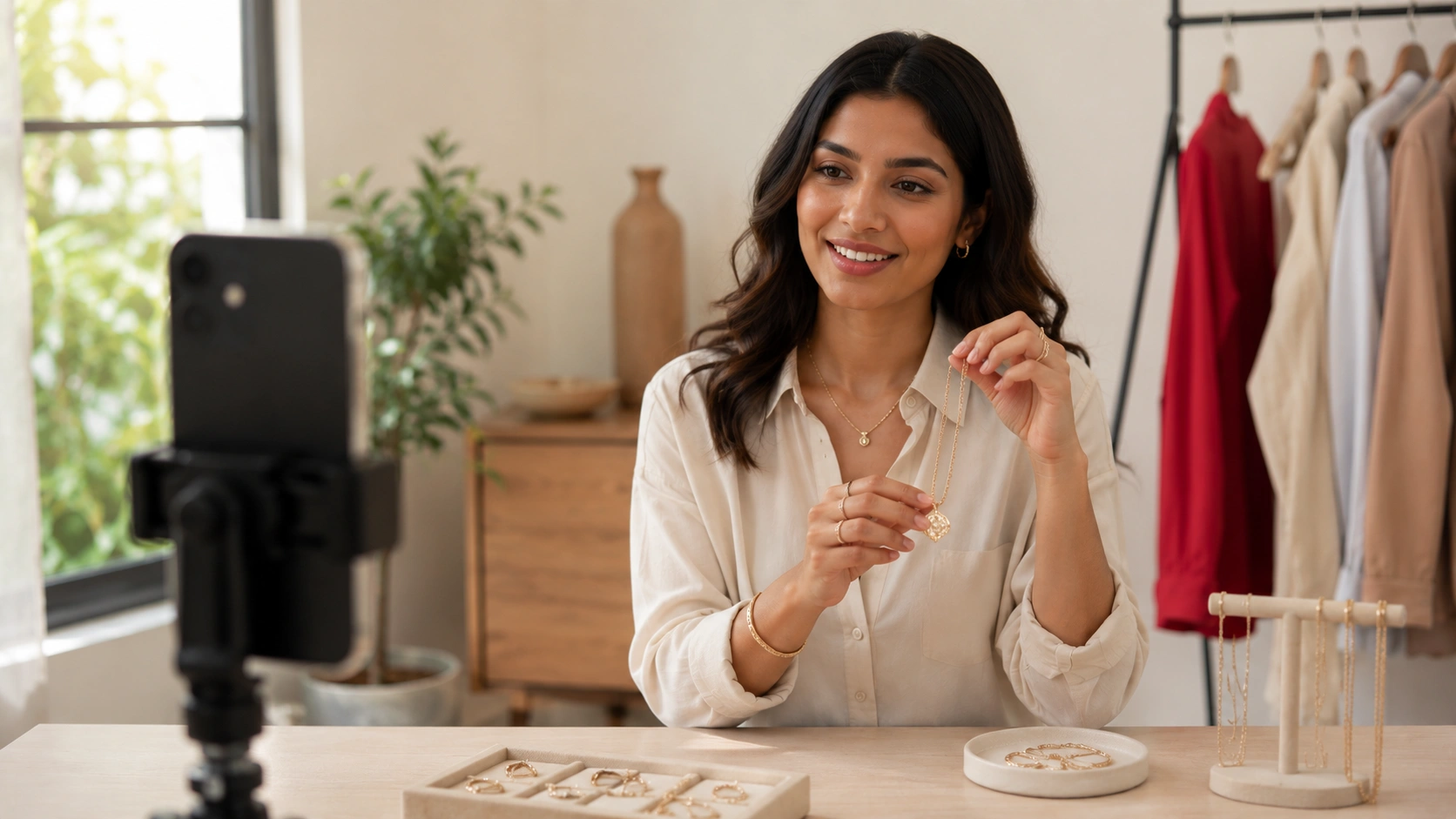
- External Microphone: Never rely on the built-in microphone of a laptop or phone. Use a lapel or shotgun mic to ensure your host is heard clearly over any background noise.
- Three-Point Lighting: Use a ring light or softboxes to eliminate shadows. Customers need to see the product’s color and texture accurately.
The "Dry Run"
Conduct a full technical rehearsal 24 hours before the event. Test the audio levels, the transitions between camera angles, and the product tagging functionality. Ensure your host knows where to look and how to respond to comments without breaking the flow of the demonstration.
Myth: High-production value is the most important factor in live shopping. Fact: Authenticity and clarity are far more important. A clear, well-lit smartphone stream with great audio often converts better than a stiff, over-produced studio shoot.
Driving Conversions During the Live Event
Once you are live, the focus shifts from production to performance. You must actively guide the viewer toward the checkout.
Real-Time Engagement
Acknowledge viewers by name as they join. Respond to questions about sizing, materials, or shipping immediately. This level of personal attention is something a static PDP cannot offer. It builds the trust necessary for a shopper to hit the "Buy" button.
Creating Urgency
Live shopping thrives on scarcity and urgency. Use "Live-Only" discount codes that expire when the stream ends. Mention that inventory is limited for specific SKUs. Facebook’s platform allows you to pin products to the bottom of the screen; keep the current product pinned so viewers can click through without searching. Videowise’s social commerce tools are designed for this kind of frictionless buying.
The Power of the CTA
Be direct. Use phrases like "Click the link in the description to secure yours" or "Tap the product tag now to see the checkout page." Our performance-first infrastructure at Videowise is designed to support high-velocity shopping moments like these, ensuring the transition from video to cart is as fast as possible.
Measuring Success: Metrics That Matter
To understand the true ROI of your event, you must look past vanity metrics like "Total Views" or "Likes."
Essential Revenue Metrics
- Conversion Rate (CVR): The percentage of live viewers who completed a purchase.
- Average Order Value (AOV): Did the live demonstrations and bundling tips lead to larger carts?
- Revenue Per Session (RPS): The total revenue generated divided by the number of unique viewers.
- Influenced Revenue: Purchases made within 24–48 hours of the event by users who attended but didn't buy immediately.
To see how other brands frame those same KPIs, browse Videowise case studies.
Post-Event Analysis
Review the "drop-off" points in your stream. If you lost 50% of your audience during a specific segment, analyze why. Was the demonstration too long? Was there a technical glitch? Use these insights to refine your next run-of-show.
Repurposing Content for Long-Tail Revenue
The value of a live shopping event shouldn't end when the broadcast stops. The raw footage is a goldmine for your other ecommerce channels.
Turning Streams into Shoppable Video
Most viewers will miss the live broadcast. By recording the event, you can repurpose the best segments into shoppable video for your product pages. We help brands turn these long-form recordings into bite-sized, interactive clips that can be embedded on PDPs or homepages. Videowise Clips makes that repurposing process faster and easier to manage.
Social and Email Repurposing
- AI Clips: Use tools to identify high-energy moments and turn them into Reels or TikToks.
- Email Recaps: Send a "In case you missed it" email with a link to the recorded stream and the featured products.
- UGC Hub: If customers commented or shared their excitement during the live, capture those moments as social proof for future campaigns.
Bottom line: A 30-minute live event can provide enough content for 20+ short-form videos, significantly reducing your content production bottlenecks.
Managing the Technical Workflow
Operating at scale requires a streamlined workflow, especially for Shopify brands with large catalogs.
Bulk Publishing and Tagging
If you are featuring twenty products in an event, manually tagging each one on every platform is inefficient. Use a centralized library to manage your assets. This ensures that product information, pricing, and availability are consistent across your live stream and your website.
Page Speed and Performance
Adding video content to your store should never come at the cost of page speed. This is particularly important for mobile users who may be watching your stream on a cellular connection. To go deeper on measurement, see How To Track Shoppable Video Performance on Shopify With Videowise.
Building a Long-Term Live Shopping Strategy
One successful event is a great start, but the real revenue lift comes from consistency.
Frequency and Cadence
Start with one event per month to master the logistics. As your team becomes more efficient, move to a bi-weekly or weekly cadence. Many high-growth brands treat live shopping like a scheduled TV show, appearing at the same time every week so their community knows when to tune in.
Scaling with Automation
As your live shopping program grows, look for ways to automate the repetitive tasks. Use AI for tagging, generating captions, and clipping the best moments for social media. This allows your team to focus on the creative and strategic elements that drive engagement.
Conclusion
Hosting a successful live shopping Facebook event is a powerful way to humanize your brand and drive measurable revenue. By focusing on the right product mix, a clear run-of-show, and aggressive multi-channel promotion, you can turn a simple broadcast into a high-converting sales channel. Remember to measure success through revenue-centric metrics like AOV and RPS, and always repurpose your footage to extend its lifecycle.
If you are ready to test the workflow in your own store, install Videowise from the Shopify App Store and turn the next live event into a shoppable asset.
If you want help planning the format, book a demo and map the event to your catalog, audience, and KPI goals.
FAQ
How do I tag products in a Facebook Live event?
To tag products, you must have a Facebook Shop with an active product catalog. During the setup of your Live video in the Meta Business Suite, you can select the "Promote a Link" or "Live Shopping" feature to choose specific products from your catalog to feature during the stream.
What is the ideal length for a live shopping event?
Most successful ecommerce live streams last between 30 and 60 minutes. This provides enough time to demonstrate several products, answer audience questions, and build the community engagement necessary to drive conversions without losing the audience's attention.
Do I need professional camera equipment to start?
No, most brands start with a high-quality smartphone and a stable tripod. The most important technical factors are clear audio, which requires an external microphone, and consistent lighting to ensure the products are clearly visible to shoppers.
How should I handle negative comments during a live stream?
Assign a moderator to the chat to manage questions and filter out inappropriate content. For genuine product concerns or negative feedback, have the host address them transparently and professionally, as this can actually build trust with the rest of the audience.
.webp)


