

Table of Contents
- Introduction
- What is Shoppable Video?
- The Revenue Case for Video Commerce
- Step 1: Define Your Revenue Objectives
- Step 2: Strategic Product Selection
- Step 3: Content Planning and Storyboarding
- Step 4: Production Options
- Step 5: Adding Shoppable Elements
- Step 6: Optimizing for Performance and Speed
- Step 7: Testing and Iteration
- Step 8: Distribution and Placement
- Step 5: Scaling with AI and Automation
- Managing Content Rights
- Common Mistakes to Avoid
- The Future of Shoppable Video
- Conclusion
- FAQ
Introduction
Ecommerce operators face a growing dilemma: acquisition costs are climbing while shopper attention spans are shrinking. Static product imagery often fails to convey the utility or emotion needed to move a visitor to the checkout. This is why shoppable video has transitioned from a creative experiment to a core revenue driver. Unlike traditional video that requires a user to leave the page to shop, shoppable video embeds the commerce experience directly into the player. At Videowise, we focus on helping brands turn these video assets into measurable revenue through higher conversion rates and increased average order values with Videowise's shoppable video platform. This guide explores the strategic framework for creating shoppable videos that don't just entertain, but sell. We will cover the production process, technical requirements, and the metrics that matter most to your bottom line.
What is Shoppable Video?
A shoppable video is an interactive format that allows viewers to purchase products directly from the video player. It removes the friction between product discovery and the final transaction. In a standard setup, a shopper sees a product, clicks a link, is redirected to a new page, and then begins the checkout process. Each of these steps is a potential drop-off point.
Shoppable video collapses these steps into a single interaction. When a product appears on screen, the viewer can tap a "hotspot" or a product tag to see details like price, sizing, and availability. They can then add the item to their cart without pausing or leaving the video.
This technology relies on a few key components:
- Interactive Overlays: Visual cues that indicate a product is clickable.
- In-player Checkout: A mini-cart or checkout interface that stays within the video frame.
- Product Sync: A direct connection to your Shopify catalog to ensure inventory and pricing are accurate in real-time.
The Revenue Case for Video Commerce
For a growth manager or ecommerce director, the primary reason to implement shoppable video is the impact on specific performance metrics, which you can track with Videowise Analytics. We prioritize these outcomes over vanity metrics like "likes" or "views."
Conversion Rate (CVR)
Conversion Rate (CVR) is the percentage of visitors who complete a purchase. Shoppable videos typically drive higher CVR because they provide a "proof of life" for the product. Seeing a garment move or a kitchen appliance in action answers questions that static photos cannot. Operators using shoppable video often report conversion lifts of 30% or more on high-intent pages like Product Detail Pages (PDPs).
Average Order Value (AOV)
Average Order Value (AOV) is the average amount spent by a customer per transaction. Video is an excellent medium for cross-selling. A "get the look" video in fashion or a "full routine" video in skincare allows you to tag multiple products. When a shopper sees how items work together, they are more likely to add the entire bundle to their cart.
Revenue Per Session (RPS)
Revenue Per Session (RPS) is the total revenue generated divided by the total number of sessions. This is perhaps the most critical metric for assessing shoppable video performance. Because shoppable video increases both the likelihood of a purchase (CVR) and the size of that purchase (AOV), the overall value of every visitor to your site increases.
Key Takeaway: Shoppable video is a revenue infrastructure, not just a creative asset. Its primary job is to shorten the distance between "I want that" and "I bought that."
Step 1: Define Your Revenue Objectives
Before you film a single frame, you must decide what business outcome you are chasing. Not all shoppable videos serve the same purpose.
If your goal is customer acquisition, your videos should live on landing pages or the homepage. They should focus on brand story and your "hero" products. If your goal is conversion optimization, the videos should be placed on PDPs. These videos should be tactical, focusing on features, benefits, and answering common customer objections.
Setting clear Key Performance Indicators (KPIs) at the start—such as targeted lift in CVR or a specific goal for video-influenced revenue—ensures the creative team stays focused on sales rather than just aesthetics, and this getting-started guide is a useful next read.
Step 2: Strategic Product Selection
Do not attempt to make every product in your catalog shoppable at once. Start where the data points you.
Choose products that meet at least one of these criteria:
- Best-sellers: High-traffic items where even a 1% lift in CVR results in significant revenue.
- High-return items: Products that are often returned because customers didn't understand the fit or function. Video can clarify these details.
- Complex products: Items that require a demonstration to prove their value, such as a technical outdoor gear or a multi-step skincare device.
- New arrivals: Using video for product launches can create a sense of urgency and modernity.
Step 3: Content Planning and Storyboarding
Effective shoppable video follows a different structure than a traditional commercial. You are designing for interaction, not just observation.
The Hook (First 3 Seconds): You must capture interest immediately. In a mobile-first environment, viewers decide to scroll or stay within seconds. Start with a high-energy visual or a direct address of a customer pain point.
The Middle (The "Value" Phase): Show the product in action. Address the features that matter most. If it’s a dress, show the pocket detail and the fabric movement. If it’s a tech gadget, show the interface. This is where you place your interactive tags. Ensure that the product is visible and the tags don't obscure critical visuals.
The Call to Action (CTA): Be explicit. Tell the viewer to "Tap to shop" or "Add to cart." Unlike passive video, shoppable video requires the user to take an action within the player.
Step 4: Production Options
You don't always need a high-budget production crew. In 2026, many of the highest-converting shoppable videos are authentic and low-fidelity.
User-Generated Content (UGC)
UGC is content created by your customers or influencers. It feels authentic and builds trust. You can import this content directly from TikTok or Instagram with Videowise's social commerce tools. Because UGC is often filmed on mobile devices, it fits the vertical, mobile-first format of modern commerce perfectly.
In-House "Founder-Led" Video
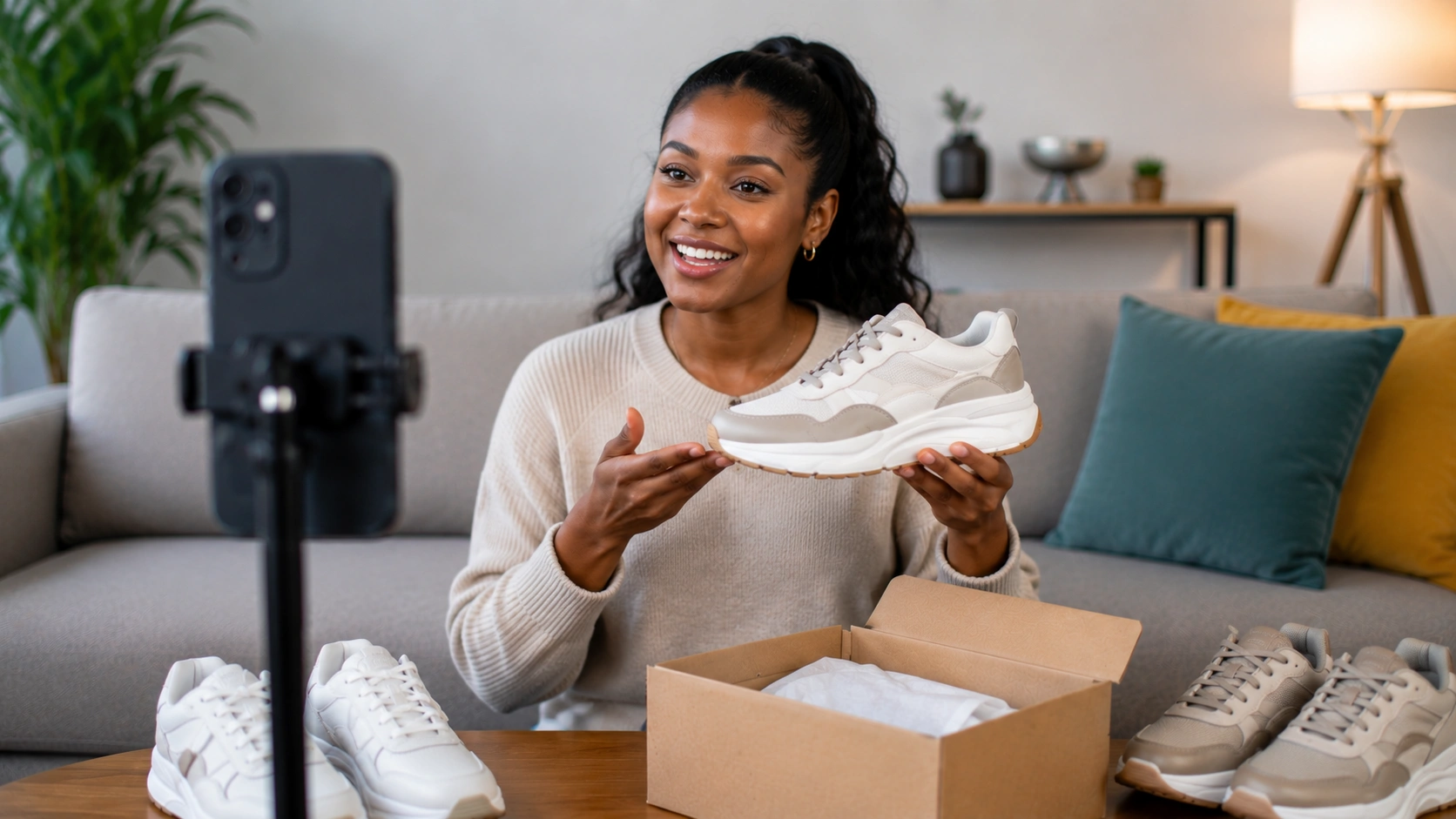
Simple videos filmed by the brand founder or a product expert can be highly effective. These videos should feel like a one-on-one consultation. They are inexpensive to produce and can be turned around quickly to match new inventory drops.
Professional Studio Production
Use professional shoots for hero brand videos or high-ticket items, or create them faster with Videowise AI Studio. These should be polished but still optimized for the shoppable format. Avoid "cinematic" shots that zoom too far out to see the product clearly.
Step 5: Adding Shoppable Elements
This is the technical phase where you turn a video file into a commerce tool. This involves "tagging" the products within the video.
You will need to identify the exact timestamps where a product appears. When a user taps the screen during these timestamps, a product card should appear. This card should include:
- Real-time price: Never hard-code a price into the video file itself. Use a platform that pulls the current price from your store.
- Variant selectors: Allow users to choose their size or color directly in the video.
- The Buy Button: A clear, high-contrast button that adds the item to the cart immediately.
Our platform at Videowise uses AI-powered content intelligence to help automate this process, allowing you to tag products across your video library with minimal manual effort.
Step 6: Optimizing for Performance and Speed
A common fear among ecommerce directors is that adding video will slow down their site. This is a valid concern. Site speed is a direct factor in Core Web Vitals (CWV), which are the metrics Google uses to measure a user's experience on a page.
Largest Contentful Paint (LCP) is a key CWV metric that measures how long it takes for the main content of a page to load. If your video player is heavy or poorly coded, your LCP will spike, and your SEO and conversion rates will suffer.
To prevent this, ensure your shoppable video solution uses:
- Lazy Loading: The video only loads when the user scrolls to it.
- CDN Delivery: Content is served from a server close to the user's physical location.
- Optimized Video Codecs: Using modern formats like AV1 or VP9 to keep file sizes small without losing quality.
Our performance-first infrastructure ensures that these interactive experiences do not harm your page speed, keeping your Core Web Vitals healthy while you scale, and MASC's shoppable video case study is a strong example of that balance.
Myth: Video always slows down your site and hurts SEO. Fact: With the right video commerce infrastructure, you can serve high-quality shoppable video without increasing page load times or negatively impacting Core Web Vitals.
Step 7: Testing and Iteration
Once your videos are live, the real work begins. You must treat your video content with the same analytical rigor as your paid ads.
Use shoppable video performance tracking to track more than just views. You should monitor:
- Direct Revenue: Sales that happened immediately inside the video.
- Influenced Revenue: Sales that happened later in the session after the user watched a video.
- Click-through Rate (CTR): The percentage of viewers who clicked a product tag.
- Drop-off Points: Where in the video are people losing interest? If everyone stops watching at 10 seconds, your video is too long or the middle section is weak.
Perform A/B tests on your placements. Does a shoppable video perform better above the fold (the part of the page visible without scrolling) or next to the product description? Does UGC convert better than studio shots for your specific audience?
Step 8: Distribution and Placement
Where you place your shoppable video determines its effectiveness.
On the Product Detail Page (PDP): This is the most critical placement. The visitor is already considering a purchase. A shoppable video here acts as the final "nudge." Inline players that sit alongside your image gallery are the standard for high-converting stores.
On the Homepage: Use shoppable video here for discovery. Group your best-sellers into a "Trending Now" carousel. This allows a new visitor to see your best products in action immediately upon landing.
On Collection Pages: Shoppable video can break the monotony of a product grid. A video showing a model wearing various pieces from a collection can help a shopper visualize how to build an outfit.
In Email and SMS: While you cannot usually play a shoppable video directly inside an email client, you can send a GIF or a thumbnail that links to a dedicated shoppable video store strategy guide. This creates a unified experience from the inbox to the checkout.
Step 5: Scaling with AI and Automation
As your video library grows, manual management becomes impossible. If you have 500 SKUs, you cannot manually tag and update 500 videos every time a price changes or a product goes out of stock.
This is where AI-powered tools become essential. We use Videowise Clips to help operators clip long-form videos into short-form assets, automatically tag products, and manage usage rights for UGC. This allows a small team to manage a massive video presence without needing a fleet of developers or editors.
For example, using AI clips through we allows you to take a 10-minute brand documentary or a long influencer review and turn it into 20 different 15-second shoppable clips for your PDPs in minutes.
Managing Content Rights
When using UGC or influencer content as shoppable video, you must manage the legal rights to that content. Just because someone tagged your brand on Instagram doesn't mean you have the right to embed their video on your store as a sales tool.
A robust shoppable video strategy includes Videowise's UGC Creator Network and a system for requesting and documenting usage rights. Most operators find that influencers are happy to grant these rights in exchange for the extra exposure, but having a formal, automated request flow is vital for protecting your brand at scale.
Common Mistakes to Avoid
Even with the best tools, certain mistakes can kill your conversion lift.
1. Over-Producing Content: High-gloss, highly edited commercials often feel like "ads" to modern shoppers. They are conditioned to ignore them. Aim for a balance of professional quality and relatable authenticity.
2. Ignoring the Mute Button: Most mobile users watch video with the sound off. If your video relies on a voiceover to explain the product, you must use captions. If the product's main feature is a sound (like a speaker), you must use a visual cue telling the user to "Turn on Sound."
3. Hidden Interactive Elements: If the viewer doesn't know the video is shoppable, they won't shop. Use subtle animations, "pulsing" hotspots, or a clear "Tap to Shop" overlay to signal interactivity.
4. Poor Mobile Optimization: Over 75% of video commerce happens on mobile devices. If your product tags are too small to tap with a thumb, or if the product card takes up the entire screen and is hard to close, you will lose the sale.
The Future of Shoppable Video
We are moving toward an era of "Total Video Commerce." Soon, video won't just be an "add-on" to an ecommerce site—it will be the primary interface.
As AI makes it easier to create and personalize video, we expect to see Videowise's live shopping platform:
- Personalized Video Feeds: Showing different shoppable videos to different users based on their browsing history.
- Virtual Try-Ons: Integrating shoppable video with Augmented Reality (AR) so a user can see a product on themselves and then buy it in the same frame.
- Seamless Live-to-VOD: Every live shopping event automatically becoming a library of shoppable on-demand clips.
Bottom line: Shoppable video is no longer a luxury for big brands. It is a necessary tool for any Shopify merchant who wants to increase the efficiency of their traffic and the value of their customer sessions.
Conclusion
Creating shoppable videos is a multi-step process that starts with clear revenue goals and ends with continuous data-driven optimization. By choosing the right products, planning for mobile-first interaction, and ensuring your technical infrastructure doesn't slow down your site, you can create a high-performance sales channel. Videowise is built to turn your video assets into your hardest-working sales representatives. Whether you are leveraging UGC or producing original content, the focus must always remain on reducing friction and driving measurable business outcomes. The shift from passive viewing to active shopping is here, and operators who adopt this framework early will be the ones who own the next era of digital retail. Your next step is to install Videowise from the Shopify App Store and audit your top-performing PDPs to identify where a shoppable video could provide the most immediate conversion lift.
If you'd like a tailored walkthrough, book a demo.
FAQ
What is the ideal length for a shoppable video?
For on-site placements like product pages, the ideal length is between 15 and 30 seconds. This is long enough to demonstrate value but short enough to respect the shopper's time. For homepages or discovery feeds, you can occasionally go up to 60 seconds if the storytelling is particularly engaging.
Does shoppable video work for B2B or complex products?
Yes, shoppable video is highly effective for complex products because it allows you to demonstrate technical features in a way that text cannot. While the "impulse buy" might be lower than in fashion, the "informed buy" is much higher. It helps reduce the sales cycle by answering technical questions visually and immediately.
How do I measure if my shoppable videos are successful?
Focus on Revenue Per Session (RPS) and Conversion Rate (CVR) lift. Compare the CVR of shoppers who interacted with the video versus those who did not. Use an analytics platform that can provide direct and influenced revenue attribution to see exactly how much money your video content is generating for your store.
Can I use my existing TikTok and Instagram videos?
Absolutely. In fact, repurposing social content is one of the most efficient ways to build a shoppable video library. You can import these videos, add shoppable tags, and embed them on your site. This ensures a consistent brand experience across social media and your own storefront while saving on production costs.
.webp)


