

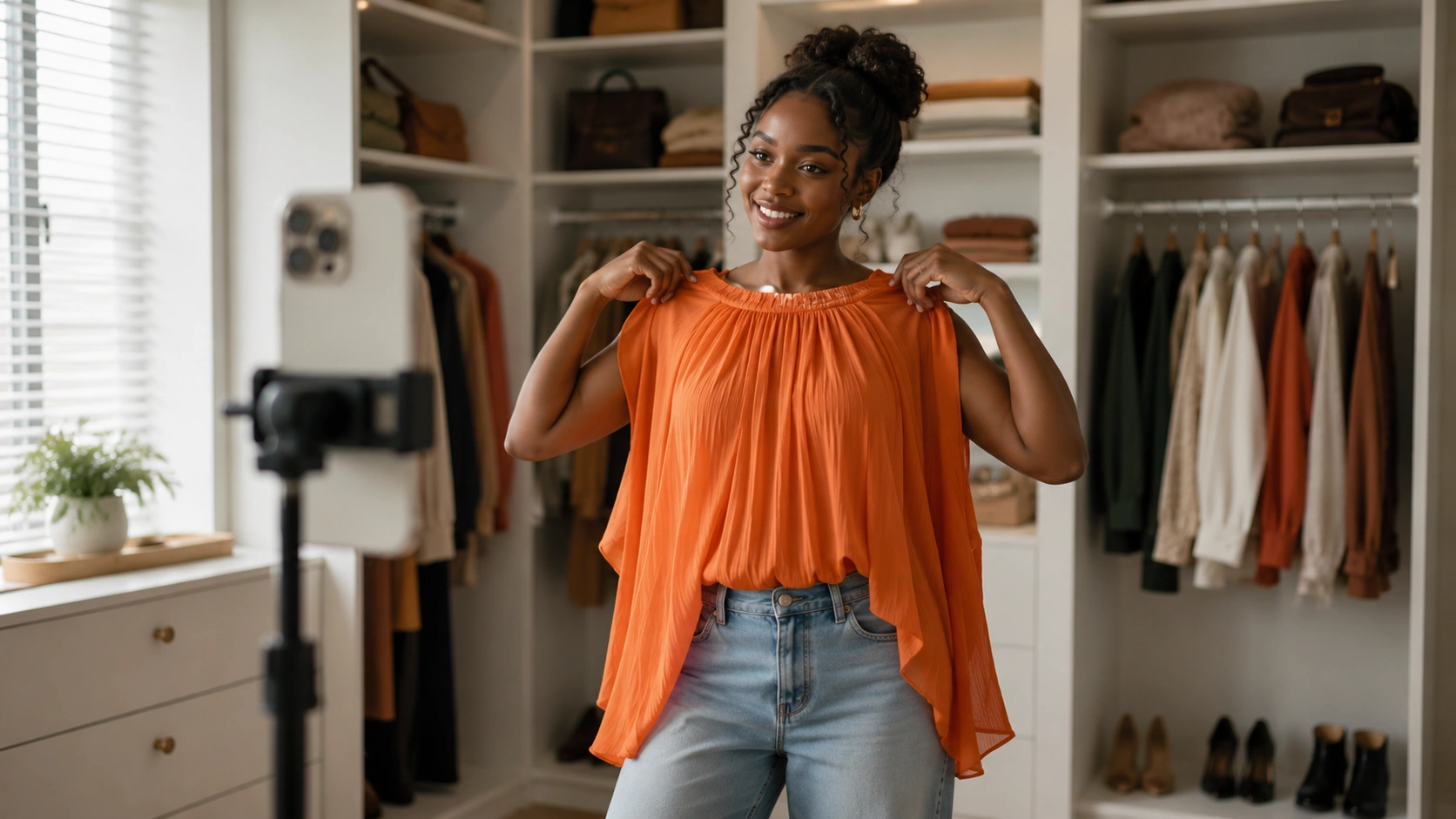
Table of Contents
- Introduction
- The Strategic Business Case for a Dedicated Studio
- Phase 1: Planning the Physical Space
- Phase 2: Essential Equipment for Different Tiers
- Phase 3: Building the Production Team
- Phase 4: Integrating Video with Your Shopify Store
- Strategic Placement and Distribution
- Measuring the Success of Your Studio
- Step-by-Step: Launching Your First Stream
- Content Management and the UGC Hub
- Avoiding Common Studio Pitfalls
- The Future of the Live Stream Shopping Studio
- Conclusion
- FAQ
Introduction
Customer acquisition costs continue to climb in 2026, forcing Shopify brands to find more efficient ways to convert existing traffic and capture new audiences. Traditional static product pages often fail to bridge the gap between discovery and purchase. This is why a dedicated live stream shopping studio has become a critical asset for modern retailers. By moving from sporadic social media updates to a structured, high-production environment, brands can significantly improve their conversion rate (CVR)—the percentage of visitors who complete a purchase.
At Videowise, we help brands transform these live interactions into measurable revenue streams through our live shopping platform. This guide covers everything an operator needs to build a professional studio that drives real-world results. We will explore strategic planning, technical requirements, and the team structure necessary to turn a simple broadcast into a high-converting digital storefront.
The Strategic Business Case for a Dedicated Studio
Building a live stream shopping studio is a shift from treating video as a marketing expense to treating it as a primary sales channel. In 2026, the US live commerce market is projected to reach nearly $68 billion. Brands that invest in a dedicated space are no longer just "going live"; they are operating a digital flagship store that never closes. For a deeper look at why this matters, see our live shopping video commerce guide.
The primary goal of any studio setup should be to increase Revenue Per Session (RPS)—the total revenue generated divided by the number of site visits. A professional environment builds the trust necessary for high-ticket purchases and reduces the friction often found in mobile-first social commerce.
Quick Answer: A live stream shopping studio is a dedicated space equipped with specialized lighting, audio, and camera gear designed to host real-time selling events. It allows brands to demonstrate products, answer questions live, and drive immediate sales through integrated shoppable links.
Defining Your Studio Goals
Before purchasing equipment, you must define the "why" behind your studio. Most successful brands focus on one of three core outcomes:
- Product Education: Reducing returns by showing how products fit, move, or operate in real-time.
- Community Launches: Driving a massive spike in Average Order Value (AOV)—the average dollar amount spent each time a customer places an order—during new collection drops.
- High-Volume Clearance: Moving inventory quickly through "flash sale" style events that use real-time scarcity.
Phase 1: Planning the Physical Space
Your physical environment is the digital version of a retail window display. It must be consistent, quiet, and reflective of your brand identity. You do not need a massive warehouse; a 10x10 foot space is often enough to create a high-impact set.
Backdrop and Branding
A cluttered background distracts the viewer and lowers the perceived value of your products. Operators should choose a clean, neutral backdrop that allows the product to remain the focus. This could be a minimalist office setup, a stylized living room, or a modular "grid" wall that can be updated for different seasons.
Acoustics and Sound Treatment
Sound quality is often more important than video quality. A viewer might tolerate a slightly grainy image, but they will leave immediately if the audio is muffled or echoing. If your studio is in a warehouse or an open-plan office, use acoustic foam panels or thick rugs to dampen the sound. The goal is a "dry" sound where the host's voice is crisp and clear.
Power and Connectivity
A professional studio requires more power than a standard laptop setup. Ensure you have dedicated circuits for lighting and computer equipment to avoid tripped breakers mid-stream. More importantly, your internet connection must be rock-solid. A hardwired Ethernet connection is non-negotiable. While Wi-Fi has improved by 2026, it is still prone to interference that can cause a stream to drop, directly hurting your sales.
Key Takeaway: Treat your studio space as a permanent retail asset. Reliability in connectivity and sound treatment is the foundation for maintaining the high-intent atmosphere needed to drive conversions.
Phase 2: Essential Equipment for Different Tiers
The equipment you choose depends on your current scale. It is better to have a simple, reliable setup than a complex one that fails during a live event.
The Starter Setup (Mobile-First)
If you are testing the waters, you can launch using high-end smartphones.
- Camera: A modern flagship smartphone on a stable tripod.
- Lighting: A single 18-inch LED ring light to illuminate the host’s face.
- Audio: A wired lavalier microphone that plugs directly into the phone.
- Software: Native app broadcasting and social commerce channels (TikTok, Instagram, or Amazon Live).
The Professional Studio (Multi-Cam)
For brands looking to maximize RPS, a multi-camera setup allows for close-ups on product details without interrupting the host's flow.
- Cameras: Two or three mirrorless cameras (like a Sony ZV series or Canon EOS R). One wide shot for the host, one tight shot for product details.
- Lighting: A three-point lighting setup (Key, Fill, and Backlight) to create depth and eliminate shadows.
- Audio: Professional wireless lavalier or shotgun microphones fed into an audio interface.
- Switching: A hardware switcher (like an ATEM Mini) or software like OBS (Open Broadcaster Software) to toggle between views.
Myth: You need a five-figure budget to start a live shopping studio. Fact: Most high-growth Shopify brands start with a single smartphone and a $50 microphone, focusing on host charisma and product value before upgrading to multi-cam setups.
Phase 3: Building the Production Team
A live stream shopping studio is only as effective as the people operating it. While one person can technically do everything, scaling requires specialized roles.
The On-Camera Host
The host is your primary sales driver. They need to be more than just "high energy." They must be product experts who can handle objections in real-time. Successful brands often use a mix of internal founders, trained retail staff, or specialized influencers who understand the brand’s "voice."
The Moderator (The "Closer")
While the host speaks, the moderator works in the chat. They answer technical questions, post links to products mentioned, and pin testimonials from other customers. The moderator is often the one who actually triggers the "add to cart" action by providing the right link at the right moment.
The Technical Operator
For multi-cam studios, a technical operator manages the video switching, monitors audio levels, and ensures the stream remains stable. This allows the host to focus entirely on the audience and the product.
For a real-world example of a lean production team, read how Andar generated $134K in 3 hours with live shopping on Videowise.
Phase 4: Integrating Video with Your Shopify Store
A beautiful studio setup is wasted if the shopping experience is clunky. This is where the technical infrastructure of your shoppable video platform becomes critical. Video should not just be a broadcast; it should be a transaction point.
We built our Live Shopping features to ensure that when a host holds up a product, the "Buy" button appears instantly on the viewer's screen. This deep integration is what separates a "video event" from a "revenue event." Furthermore, our performance-first infrastructure ensures that these high-quality video feeds do not slow down your site. Maintaining high scores in Core Web Vitals (CWV)—Google's metrics for page speed and user experience—is essential to keep your SEO rankings while running heavy video content.
Using AI to Scale Studio Output
In 2026, the most efficient studios use AI to extend the life of their live content. Instead of a live stream being a "one-and-done" event, operators use our AI Studio tools to automatically identify high-conversion moments from a recorded stream. These snippets can then be repurposed as Shoppable Video on Product Detail Pages (PDPs), turning a 60-minute live event into dozens of evergreen sales assets.
Strategic Placement and Distribution
Where you host your stream is just as important as how you film it. A multi-channel approach is usually best for Shopify brands. If you want a native discovery channel beyond your storefront, see Live Shopping Inside Shop App With Videowise.
- On-Site Live Shopping: Hosting the event directly on your own domain. This keeps 100% of the customer data and prevents distractions from other social media notifications. This is where you typically see the highest AOV.
- Social Commerce Sync: Simultaneously broadcasting to TikTok Shop or Instagram. This reaches new "top of funnel" customers who haven't visited your site yet.
- Email and SMS Integration: Using studio-quality clips in post-purchase or abandoned cart flows to remind customers of the product’s benefits.
Measuring the Success of Your Studio
Operators must look past "vanity metrics" like total views or likes. To justify the investment in a live stream shopping studio, you must track revenue-centric KPIs. Use video performance analytics to see which shows, widgets, and placements actually drive revenue.
- Conversion Rate (CVR): Are people who watch the live stream more likely to buy than those who just view a static PDP?
- Revenue Per Session (RPS): Is the average value of a session higher when a live event is active?
- Direct vs. Influenced Revenue: Direct revenue comes from immediate clicks in the stream. Influenced revenue tracks customers who watched the stream but bought later that day or week.
- Return Rate: High-quality studio demonstrations usually lead to lower return rates because customers have a better understanding of what they are buying.
Bottom line: A live shopping studio is a high-performance sales engine. Success is measured by the delta in CVR and AOV between your video-enabled pages and your static ones.
Step-by-Step: Launching Your First Stream
Step 1: Set Your Commercial Goal. / Decide if you are launching a product, clearing stock, or building a community. This dictates the script and the "offer" of the stream.
Step 2: Prepare the Set. / Set up your neutral backdrop, test your three-point lighting, and ensure your products are clean and staged for close-ups.
Step 3: Run a Tech Rehearsal. / Perform a 5-minute "private" stream to check audio levels and internet stability. Verify that product tags are correctly linked to your Shopify catalog.
Step 4: Go Live with a Moderator. / Start the broadcast and have your moderator immediately engage with early viewers. Keep the energy high and call out viewers by name.
Step 5: Repurpose the Content. / Immediately after the stream, use AI Clips to cut the best segments into shoppable clips for your product and collection pages.
Content Management and the UGC Hub
Your studio is also an excellent place to film high-quality responses to customer-generated content (UGC). By bringing a "pro" look to the discussion of customer reviews, you bridge the gap between polished brand marketing and authentic social proof. Our UGC Hub and Creative Library allow operators to manage these assets in one place, and Skullcandy's case study shows how UGC can drive revenue without compromising page speed.
Avoiding Common Studio Pitfalls
Even with the best gear, many brands struggle due to preventable mistakes.
- Poor Lighting on the Product: Brands often light the host but leave the product in the dark. Use a dedicated "spot" or "accent" light for the item being shown.
- Ignoring the Chat: Live shopping is a conversation, not a monologue. If you don't answer questions, you might as well just post a pre-recorded video.
- Weak Call to Action (CTA): You must tell people exactly how to buy. Use phrases like "Click the bag icon in the bottom left" or "Scan the code on the screen."
- Neglecting Page Speed: If you embed a live stream incorrectly, it can tank your site's performance. Using a platform like ours ensures that the video delivery is optimized for speed and does not hurt your search rankings. See how ALPAKA reached up to 12% daily conversion rates with UGC.
The Future of the Live Stream Shopping Studio
As we move through 2026, the "studio" is becoming less of a physical room and more of a technical capability. Virtual sets and AI-enhanced lighting are making it easier for smaller brands to achieve "broadcast quality" without the broadcast budget. However, the core principles remain: clear audio, bright lighting, and a frictionless path to purchase.
The goal is to move from a "marketing-first" mindset to a "revenue-first" mindset. Every light you position and every camera angle you choose should serve the ultimate purpose of making the customer feel confident enough to click "Buy Now."
Conclusion
Building a live stream shopping studio is one of the most effective ways for Shopify brands to scale in a competitive market. By focusing on high-quality production, professional hosting, and deep commerce integration, operators can drive significant lifts in CVR and RPS. We designed the Videowise platform to ensure that the transition from studio to storefront is seamless, allowing you to turn every frame into a checkout opportunity.
Key Takeaway: Success in live commerce requires more than just a camera; it requires a revenue-focused strategy that integrates high-quality video into the core of the Shopify shopping experience.
What to do next:
- Evaluate your current space for a permanent 10x10 set.
- Invest in a professional lavalier microphone for immediate audio improvement.
- Review your Shopify analytics to identify high-traffic PDPs that would benefit from live video.
- Install Videowise from the Shopify App Store.
- Book a demo with the Videowise team.
FAQ
How much space do I need for a live shopping studio?
You do not need a massive soundstage; a dedicated 10x10 foot area is usually sufficient for most ecommerce brands. The key is to have enough depth to separate the host from the background, which helps with lighting and creating a professional "bokeh" or blurred-background effect.
What is the most important piece of equipment for a new studio?
While cameras get the most attention, a high-quality microphone is the most critical investment. If viewers cannot hear your product descriptions clearly, they will leave the stream regardless of how good the video looks. A wired or wireless lavalier mic is the standard choice for professional operators.
Should I use a smartphone or a professional camera?
For brands just starting, a modern smartphone provides excellent 4K video and is easy to set up. However, as you scale to multi-camera setups or want to achieve a more cinematic look, upgrading to mirrorless cameras with interchangeable lenses will provide better depth of field and low-light performance.
How does a live studio impact my store's page speed?
If you host live streams directly on your site using unoptimized embeds, it can significantly slow down your page and hurt your SEO. Using our video performance analytics and performance-first infrastructure ensures that live video is delivered efficiently, protecting your Core Web Vitals while providing a high-quality viewer experience.
.webp)


