

Table of Contents
- Introduction
- The Revenue Case for Live Shopping in Fashion
- Strategic Planning: The Pre-Event Blueprint
- Executing the Event: Structure and Flow
- Technical Infrastructure and Performance
- Multi-Channel Distribution and Social Commerce
- The Post-Event Strategy: Repurposing for Long-Tail Revenue
- Scaling Live Shopping Operations
- Advanced Tactics for 2026
- Turning Video Into Your Most Profitable Channel
- FAQ
Introduction
As customer acquisition costs continue to climb in 2026, fashion brands are forced to look beyond top-of-funnel awareness to find sustainable growth. Traditional static storefronts often struggle to convey the drape of a fabric or the true fit of a silhouette, leading to stagnant Conversion Rates (CVR)—the percentage of visitors who make a purchase. This is where live commerce bridges the gap between digital convenience and physical retail confidence.
At Videowise, we focus on turning video into a measurable revenue engine rather than just a content asset, and our shoppable video platform is built for that job. This guide explores how operators can master hosting best live shopping fashion brand events to drive meaningful lifts in Average Order Value (AOV)—the average dollar amount spent each time a customer places an order. By focusing on high-performance infrastructure and strategic engagement, you can transform a simple broadcast into a high-converting commerce channel.
The Revenue Case for Live Shopping in Fashion
Live shopping is no longer an experimental format; it is a critical component of a modern omnichannel strategy. For fashion retailers, the primary challenge is overcoming the "sensory gap"—the inability of a shopper to touch, feel, or see a garment in motion. The video commerce for clothing and apparel brands use case is especially strong here because it helps shoppers see how garments fit in real life.
When you host a live event, you are not just showing a product; you are providing real-time social proof and technical education. Videowise's live shopping platform is designed for brands that want to turn that interaction into revenue. Brands that successfully integrate live shopping often see a significant increase in Revenue Per Session (RPS), which measures the total revenue generated divided by the number of site visits. Unlike static images, live video allows a host to answer specific questions about sizing, stretch, and styling, which directly reduces the hesitation that leads to cart abandonment.
Furthermore, the interactive nature of these events allows for immediate feedback loops. If multiple viewers ask about the lining of a blazer, the host can show it instantly. This level of transparency builds a degree of trust that static PDPs (Product Detail Pages) simply cannot replicate.
Strategic Planning: The Pre-Event Blueprint
A successful fashion livestream begins weeks before the camera starts rolling. For growth managers and ecommerce directors, the focus should be on curation and coordination.
Product Selection and Bundling
Do not attempt to show your entire catalog. Focus on a curated selection of 5 to 10 items. In the fashion sector, high-margin items or new arrivals typically perform best. If you want a broader on-site video playbook, how to use shoppable videos on your eCommerce store is a helpful companion guide. Consider creating "live-exclusive" bundles. For example, a "Summer Essentials" bundle featuring a linen shirt, shorts, and a tote bag can effectively increase AOV by encouraging shoppers to buy a complete look rather than a single item.
Host Selection: Authority vs. Influence
The host is the face of your brand during the event. While celebrity influencers can bring a large audience, internal experts—like a head designer or a senior stylist—often drive higher CVR. Shoppers value authority and deep product knowledge. If you do partner with an influencer, ensure they have a genuine affinity for the brand. Their role is to facilitate a conversation, not just read a script.
Promotion and Technical Warm-up
Promotion should begin at least 14 to 21 days in advance. Utilize your existing Email and SMS lists to drive "Save the Date" actions.
Key Takeaway: Treat your live shopping event like a product drop. Use countdowns on social media and exclusive early-access teasers to build a "must-attend" atmosphere that translates into Day 1 revenue.
Executing the Event: Structure and Flow
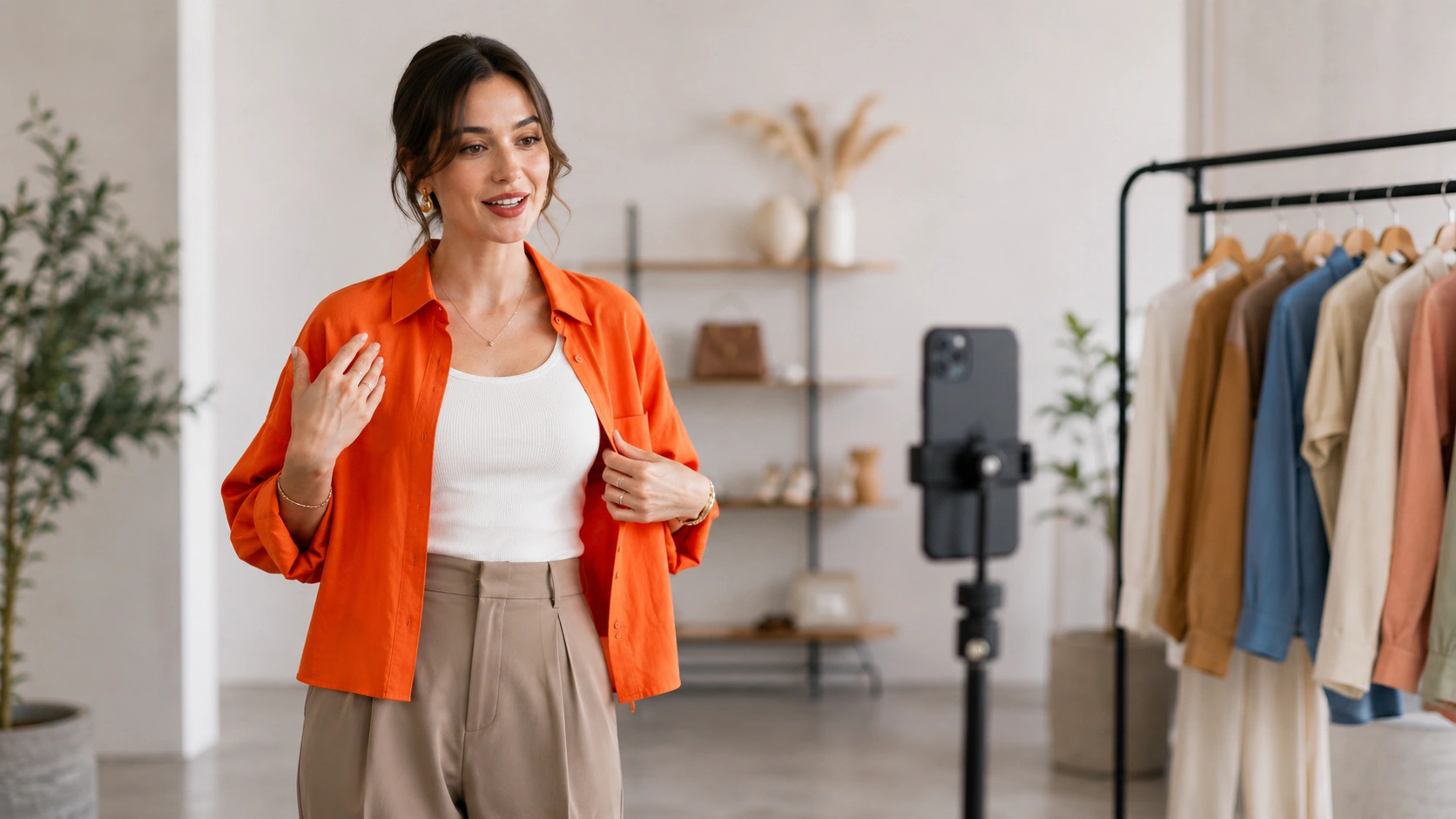
The structure of your event determines how long viewers stay and, ultimately, whether they click the "Buy" button. A loose, unscripted feel is often preferred over a stiff, corporate presentation, but the underlying commerce beats must be precise.
The First 5 Minutes: The Hook and Agenda
In 2026, attention spans are shorter than ever. Within the first 60 seconds, state exactly what the viewers will see and mention any exclusive offers. Clearly outline the agenda so viewers know when the specific items they are interested in will appear.
Detailed Demonstrations and Styling
For fashion, the "how to wear it" is as important as the "what it is." Use the live format to show:
- Fabric movement: How the material behaves when walking or sitting.
- Layering possibilities: How a piece fits into an existing wardrobe.
- Size inclusivity: Using models of different heights and body types to demonstrate fit.
Interactive Q&A Segments
Encourage viewers to ask questions throughout the event. Dedicated Q&A segments every 15 minutes keep the energy high and ensure that common purchase barriers—like "is this machine washable?"—are addressed in real time.
Technical Infrastructure and Performance
For an ecommerce operator, the biggest anxiety surrounding live video is often site performance. If a live stream slows down your site or causes a dip in Core Web Vitals (CWV)—Google’s standardized metrics for measuring user experience—it can hurt your overall SEO and conversion potential.
Our performance-first infrastructure at Videowise ensures that adding high-quality video content does not degrade page speed. When hosting live events on-site, it is vital to use a platform that handles viewport loading—only loading the video assets as they are needed—to maintain a fluid shopping experience.
Equipment Essentials for Fashion
- Lighting: Use a three-point lighting setup to eliminate shadows that can obscure garment details. High CRI (Color Rendering Index) lights are essential for accurate color representation.
- Audio: A dedicated lapel microphone is non-negotiable. If the host sounds muffled, viewers will drop off regardless of the visual quality.
- Camera: While high-end smartphones are capable, using a professional mirrorless camera via a capture card provides the depth of field that makes fashion look premium.
Myth: High-quality live video will always slow down my Shopify store. Fact: With modern video commerce platforms, video is served via optimized CDNs (Content Delivery Networks) that prioritize page speed and maintain Core Web Vitals.
Multi-Channel Distribution and Social Commerce
Your live event should not exist in a vacuum. To maximize the return on your production investment, social commerce capabilities can help distribute the stream across multiple touchpoints.
On-Site vs. Social Platforms
Hosting the event directly on your store allows for a "one-click" purchase experience, often referred to as inline checkout. This eliminates the friction of redirecting a user from a social app to your website, which is where most conversion drops occur. However, simultaneous broadcasting to TikTok Shop or Instagram can help you reach new audiences who are not yet familiar with your brand.
Social Commerce Integration
Our social commerce capabilities allow you to import UGC (User-Generated Content) and previous live segments directly into your creative library. This creates a cohesive loop where live content feeds your social channels, and social content informs your live strategy.
The Post-Event Strategy: Repurposing for Long-Tail Revenue
The live event is just the beginning of the content's lifecycle. A common mistake among operators is letting a 45-minute recording sit idle after the broadcast ends.
AI-Powered Clipping
Use AI Clips to automatically identify the most engaging moments from your live show—such as a specific product reveal or a glowing testimonial. These short-form clips (15–30 seconds) are perfect for:
- Product Detail Pages (PDPs): Adding a video of the live demo next to static images.
- Email Marketing: Embedding a clip of a "best-of" moment to re-engage those who missed the event.
- Collection Pages: Using video carousels to showcase products in motion.
Measuring Success Beyond Views
Move away from vanity metrics like "total views" or "likes." Instead, focus on Content Performance Analytics that track the full funnel, from video view through to purchase. Measure direct revenue generated during the broadcast and influenced revenue from shoppers who watched the video but purchased later, while also monitoring lifts in AOV and CVR.
Bottom line: The value of a live shopping event is doubled when the content is chopped into shoppable segments and deployed across the entire customer journey to lift CVR long after the stream ends, as seen in the Nomad the Label case study.
Scaling Live Shopping Operations
For brands with hundreds of SKUs, hosting a live event every week can seem daunting. The key is to build a repeatable framework that does not require heavy developer intervention.
Step 1: Standardize the Tech Stack. / Use a drag-and-drop deployment method to add live components to your Shopify theme without writing code. Step 2: Create a Content Calendar. / Align live events with your merchandising calendar—launches, seasonal sales, and holiday events. Step 3: Automate Rights Management. / If you are using UGC in your live shows, ensure you have a centralized system for usage rights to avoid legal bottlenecks. Step 4: Bulk Publishing. / Use tools that allow you to push shoppable video updates to multiple store locales or collection pages simultaneously.
Advanced Tactics for 2026
As the market matures, simply "going live" is not enough. You must innovate to maintain engagement.
Gamification and Scarcity
Introduce live-only discount codes that expire the moment the stream ends. Use progress bars to show how many units of a limited-edition item are left. This creates a psychological "nudge" that moves the shopper from consideration to action.
Behind-the-Scenes Access
Fashion consumers in 2026 crave authenticity. Take the camera into the warehouse or the design studio. Showing the "making of" a collection adds a layer of narrative that justifies premium pricing and fosters brand loyalty.
Integrating AI Studio for Content Optimization
Optimization doesn't stop when the video is filmed. Use AI Studio to test different thumbnails, video titles, and product tag placements. Small adjustments in where a "Buy Now" button appears on the screen can have a measurable impact on CVR and RPS.
Turning Video Into Your Most Profitable Channel
At Videowise, we believe that every video should be a storefront. The shift toward video commerce is not about following a trend; it is about meeting the customer where they are with the information they need to buy confidently. By focusing on the intersection of high-quality production, strategic promotion, and performance-first infrastructure, fashion brands can turn live shopping into a consistent, scalable revenue stream.
The goal is to move the needle on the metrics that matter. Whether it is a 15% lift in AOV through smart bundling or a significant reduction in return rates by providing better fit education, live shopping provides the data and the engagement necessary to thrive in a competitive landscape. If you're ready to put this into practice, book a demo and see how Videowise can fit your store.
"Operators who prioritize revenue-linked video strategies over vanity engagement metrics are the ones who will define the next era of ecommerce growth."
FAQ
What is the ideal length for a fashion live shopping event?
Most successful fashion events last between 30 and 45 minutes. This provides enough time to demonstrate 5–10 products in detail while maintaining high energy and giving viewers enough time to join, engage with the Q&A, and complete their purchases.
How do I ensure my live stream doesn't slow down my Shopify store?
You should use a video commerce platform built with a performance-first infrastructure that utilizes advanced loading techniques like deferred execution. This ensures that your Core Web Vitals remain stable and your page load speed is not negatively impacted by the video assets.
Should I host my event on social media or on my own website?
Ideally, you should do both through multi-streaming. However, hosting the event on your own website usually results in higher conversion rates because it offers a frictionless checkout experience where shoppers don't have to leave the stream to complete their transaction. For a deeper breakdown of the channel strategy, read the complete guide to live video commerce.
How can I measure the actual ROI of my live shopping events?
Focus on Content Performance Analytics that track the full funnel, from video view through to purchase. Measure direct revenue generated during the broadcast and influenced revenue from shoppers who watched the video but purchased later, while also monitoring lifts in AOV and CVR. If you're just getting started, you can install the app from the Shopify App Store.
.webp)


